Create Custom Photo Books
Choose from four photo book formats

ImageWrap Hardcover
Best for: portfolios, travel or family albums, and baby photo books.

Softcover
Best for: gifts, bulk orders, and catalogs.

Linen Hardcover with Dust Jacket
Best for: fine art photography books, wedding albums, and limited editions.

Layflat
Best for: panoramic photography, coffee table books, and milestone gifts.
Select your photo book size, paper type, and cover option


Compare and create

ImageWrap Hardcover

Softcover

Sizes
Sizes
| ImageWrap Hardcover | Softcover | Linen Hardcover with Dust Jacket |
|---|---|---|
|
|
|
Paper
Paper
| ImageWrap Hardcover | Softcover | Linen Hardcover with Dust Jacket |
|---|---|---|
|
|
|
Linen cover colors
Linen cover colors
| ImageWrap Hardcover | Softcover | Linen Hardcover with Dust Jacket |
|---|---|---|
|
|
|
Endsheet colors
Endsheet colors
| ImageWrap Hardcover | Softcover | Linen Hardcover with Dust Jacket |
|---|---|---|
|
|
|
Minimum page count
Minimum page count
| ImageWrap Hardcover | Softcover | Linen Hardcover with Dust Jacket |
|---|---|---|
|
|
|
Maximum page count
Maximum page count
| ImageWrap Hardcover | Softcover | Linen Hardcover with Dust Jacket |
|---|---|---|
|
|
|
Book creation tools
Book creation tools
| ImageWrap Hardcover | Softcover | Linen Hardcover with Dust Jacket |
|---|---|---|
|
|
|
Sell and distribute
Sell and distribute
| ImageWrap Hardcover | Softcover | Linen Hardcover with Dust Jacket |
|---|---|---|
|
|
|
Design your photo book

Blurb online editor
Design a photo book directly in your browser — no download required. Upload images from your computer or phone, choose a template, and start laying out pages in minutes. Available in English.
Start creating online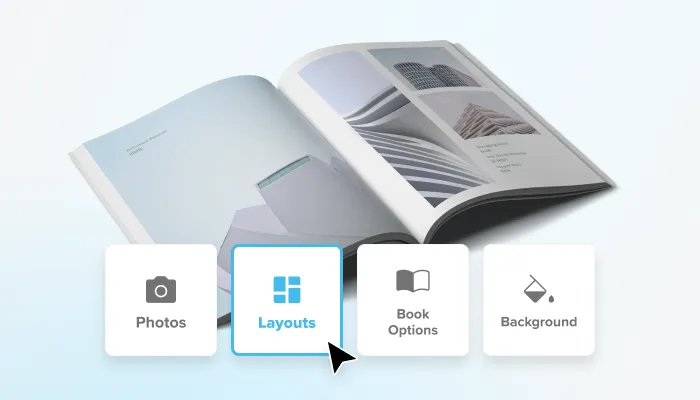
BookWright by Blurb
Free desktop bookmaking software for Mac and Windows with custom templates, layout suggestions, and built-in photo retouching. Download once and design offline.
Download BookWright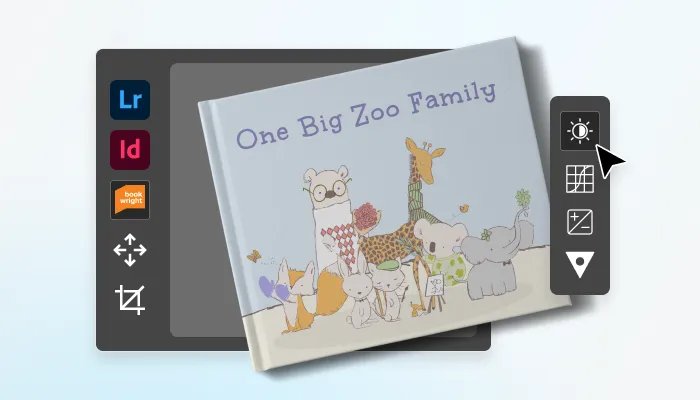
Adobe Integrations
Design your photo book without leaving Adobe. Blurb offers a free plugin for Adobe InDesign, a preset pack for Adobe Lightroom Classic, and a PDF-to-book uploader for finished layouts from any software.
- Blurb plugin for Adobe InDesign
- Blurb plugin for Adobe Lightroom Classic
- Blurb PDF to Book
Online
Online
Blurb online editor
Design a photo book directly in your browser — no download required. Upload images from your computer or phone, choose a template, and start laying out pages in minutes. Available in English.
Start creating online Desktop
Desktop
BookWright by Blurb
Free desktop bookmaking software for Mac and Windows with custom templates, layout suggestions, and built-in photo retouching. Download once and design offline.
Download BookWright Plugins & more
Plugins & more
Adobe Integrations
Design your photo book without leaving Adobe. Blurb offers a free plugin for Adobe InDesign, a preset pack for Adobe Lightroom Classic, and a PDF-to-book uploader for finished layouts from any software.
- Blurb plugin for Adobe InDesign
- Blurb plugin for Adobe Lightroom Classic
- Blurb PDF to Book
Make a photo book to keep. Make it to sell. Or both.
Many photo books on Blurb start as a personal keepsake or a special gift. Some become more: a photographer’s book, a portfolio, a catalog of products. No matter what your goal is, a Blurb photo book is a tool to achieve it.Make a photo book for yourself
One or two copies, printed in the highest quality, and meant to stay in the family.- Family albums to grow your collection with every birthday, wedding, and other major milestones
- Travel photo books to capture memories of a safari, a road trip, or a whole year abroad
- Coffee-table books with your photography
- Recipe and cookbooks to pass down to the next generation
Make a photo book to sell
Blurb prints each copy as it’s ordered — no inventory, no upfront cost, never out of stock.- Art and photography books to turn a body of work into something collectors can buy
- Limited edition photo books to self-publish and share with your audience
- Catalogs and lookbooks for your business to share or sell to customers
- Guides, memoirs, and travel books with an ISBN and tools to distribute your photo books globally
Photo book FAQs
How to make a photo book?
How to make a photo book?
Making a photo book starts with choosing your subject — a trip, a family history, a portfolio of your work. Need inspiration? Check out this guide to making a great photo book. When you’ve decided on the idea, pick a size, paper, and cover type, upload your images, and arrange them using a design tool like BookWright. Once your layout is set, review your book and place your order for printing.
Can I make a photo book online?
Can I make a photo book online?
Yes. With the Blurb online editor, you can make a photo book online in your browser. Upload images from your computer or phone and get started quickly with pro-level layouts. Make a photo book online.
How do I choose which photos to include in my photo book?
How do I choose which photos to include in my photo book?
Start by narrowing down your full collection to the strongest shots. Usually those will have sharp focus, good lighting, and images that tell a story. Look for variety in composition (close-ups, wide shots, candids) to keep pages visually interesting, and don’t be afraid to leave out photos that are similar or lower quality. Once you’ve got your favorites, start your project on Blurb and arrange them to build a natural flow from beginning to end.
How many photos do I need for a photo book?
How many photos do I need for a photo book?
The number of photos you need depends on your book’s page count and layout style. On average, creators on Blurb place 1-3 photos per page, so for a 20-page book you may need anywhere from 20 to 60 images, while a larger 100-page book could use hundreds of images. It’s better to start with more photos than you think you’ll need and narrow down to your best shots once you start your project.
What is the best size for a photo book?
What is the best size for a photo book?
The best size for a photo book depends on the type of book you are creating. For example, smaller trim sizes like 5×5 in (13×13 cm) or 7×7 in (18×18 cm) are ideal for keepsakes or gifts. Standard portrait (8×10 in / 20×25 cm) suits family albums and cookbooks, while standard landscape (10×8 in / 25×20 cm) is great for travel and children’s books. Larger formats, such as 12×12 in (30×30 cm) or 13×11 in (33×28 cm), are perfect for showcasing portfolios, offering ample space for visuals. The size of the photo book you choose might also depend on your budget. Learn more about your options.
What is the best photo book maker?
What is the best photo book maker?
The best photo book making tool depends on your needs, ease of use, design flexibility, and, of course, print quality. Blurb offers professional-level layout tools and premium materials, making it a strong candidate for both first-time creators and experienced photo book makers.
What is the difference between a photo album and a photo book?
What is the difference between a photo album and a photo book?
A photo album typically holds printed photos in pre-made sleeves or slots, with little room for customization. A photo book, in contrast, is in many ways a creative and highly personalized way to tell a story. You choose the layout, add captions, and arrange images exactly how you want them, and only after that have it printed as a photo book.
Where can I get a photo book printed?
Where can I get a photo book printed?
You can get a photo book printed with Blurb, whether you’re creating one copy for yourself or ordering in bulk for gifts, events, or distribution. Design your book using free tools like BookWright or our Adobe InDesign and Lightroom plugins, then upload your files for printing — no need to find a local print shop or manage the process yourself. Start your photo book.
How much does it cost to make a photo book with Blurb?
How much does it cost to make a photo book with Blurb?
The cost of a photo book varies based on size, page count, cover type, paper, and the number of copies printed. A small 5×5 in (13x13 cm) softcover photo book starts from £10.00, while the cost of a larger 13×11 in (33x28 cm) hardcover photo book starts from £41.00, available in both an ImageWrap hardcover option and a linen hardcover with dust jacket photo book option. Premium and archival papers and layflat formats increase the price, with layflat photo books starting from £67.77. Discounts start at 10 copies, with additional volume options available. For a custom estimate, try our pricing calculator.
Does Blurb offer a volume discount for photo book orders?
Does Blurb offer a volume discount for photo book orders?
Yes. Blurb offers volume discounts on photo books starting at 10 copies. Orders of 10-49 copies get 20% off, and orders of 50-99 copies get 25% off. For larger print runs, contact us for a custom quote.
How much does it cost to ship a photo book with Blurb?
How much does it cost to ship a photo book with Blurb?
Shipping costs depend on your location, the size of your order, and the shipping speed you choose. Blurb offers four trackable shipping options at checkout — Economy, Standard, Express, and Priority — so you can balance cost and delivery time. For an exact shipping quote, add your book to your cart and enter your address at checkout. See shipping options and rates in our shipping calculator.
How long do Blurb photo books take?
How long do Blurb photo books take?
Most Blurb photo books are printed within 3-5 business days, plus additional time for shipping based on the option you choose at checkout. Total delivery time typically ranges from about a week for standard shipping to just a couple of days with express or priority options. For exact timing on your order, check the estimated dates shown at checkout.
How many pages are in a Blurb photo book?
How many pages are in a Blurb photo book?
Mini Square photo books can have a maximum of 80 pages. Layflat photo books can have a maximum of 110 pages. The maximum page count for perfect bound photo books depends on your paper type:
- • Standard: 440 pages.
- • Premium Lustre: 240 pages.
- • Premium Matte: 240 pages.
- • Mohawk proPhoto Pearl: 240 pages.
- • Mohawk Superfine Eggshell: 240 pages.
- • Mohawk Superfine Eggshell Layflat Photo Book: 110 pages.
- • Mohawk proPhoto Pearl Layflat Photo Book: 110 pages.
All Blurb photo books must have at least 20 pages.
Can I sell my photo book?
Can I sell my photo book?
Yes. Blurb supports selling at any scale. Print and ship one copy at a time as it’s ordered — no upfront costs, and your book is never out of stock. Want to stock up for an event? Print up to 99 copies with volume discounts starting at 10 copies — perfect for signings, giveaways, or other events. For print runs over 100 photo books, contact Blurb’s large order services to get a custom quote with full project management. However you choose to print, you can sell through the Blurb Bookstore or Amazon. Learn more about self-publishing and selling with Blurb.
Can photographers use Blurb for portfolios?
Can photographers use Blurb for portfolios?
Yes. Blurb is a top choice for photographers looking to make a photo book of their work, thanks to sophisticated layout design tools, layflat spread options that keep full-bleed images uninterrupted by a center gutter, and professional and archival paper options.
Can I make a photo book from my phone?
Can I make a photo book from my phone?
Yes. With the Blurb online editor, you can make a photo book from your phone. Upload images from your phone and get started quickly with customizable templates. Make a photo book on your phone.
Can I make a photo book on my iPad?
Can I make a photo book on my iPad?
Yes. The Blurb online editor runs directly in Safari, so there’s no app to install. Open your browser and start designing. Pull photos in from your Camera Roll or a cloud service like iCloud or Google Photos, then build your pages with ready-made templates. Design your photo book on iPad.